Certificate of completion template
Course completions, training records, workshops. A certificate has one job: state clearly who did what, when, and who says so. This one does that and nothing else — no clip art, no rainbow border.
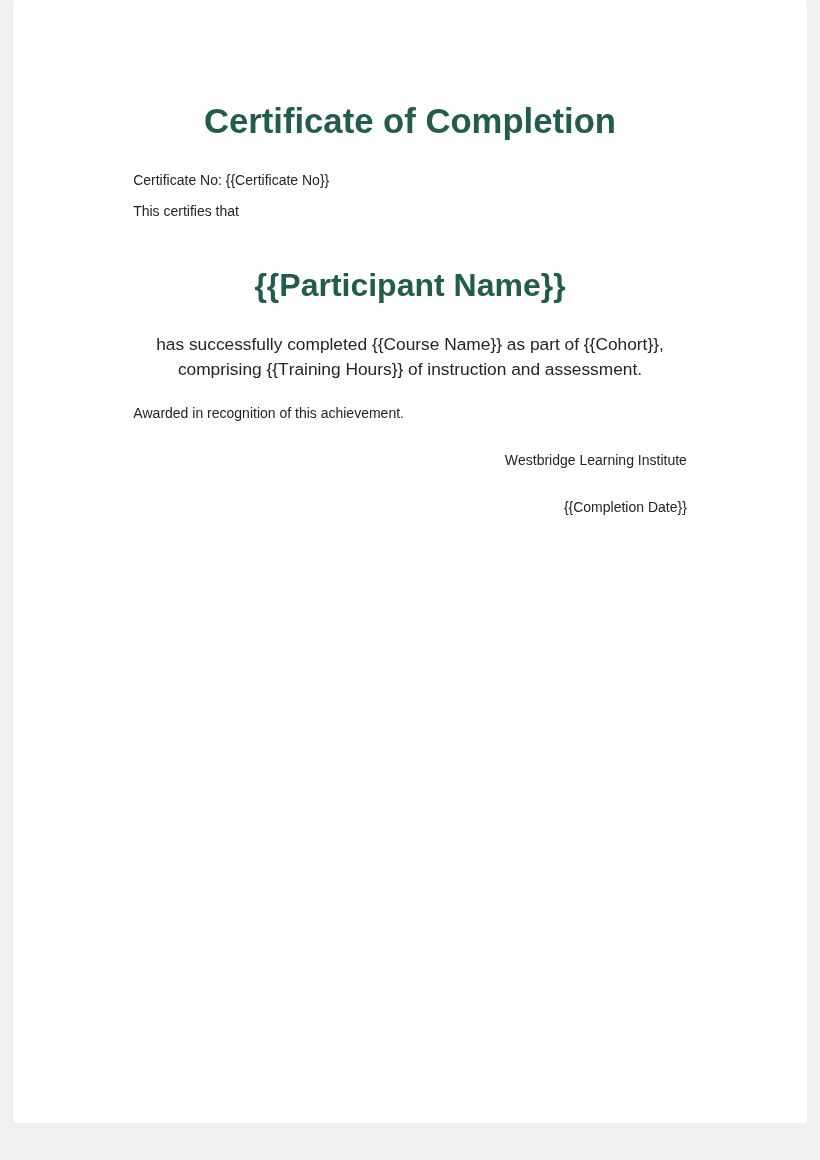
The template as it comes, with {{placeholders}} where the text changes.
Free, no signup, no email. Edit it in Word, PowerPoint or Excel like any other file.
The fields in this template
Each {{placeholder}} matches a column name in the sample list, so the two line up on their own.
| Placeholder | What goes in it |
|---|---|
{{Participant Name}} | Exactly as it should be printed. Check accents and double-barrelled surnames. |
{{Course Name}} | The full title, not an internal code. |
{{Cohort}} | Which run of the course. Useful when the same course repeats. |
{{Training Hours}} | Hours completed. Some employers and regulators require this. |
{{Certificate No}} | Unique per certificate. This is what makes a certificate checkable. |
{{Completion Date}} | Write it out as text in your list — 14 March 2026 — so no software reformats it. |
What a completion certificate has to show
Four things, and everything else is decoration: who completed it, what they completed, when, and who is attesting to it. If a certificate is ever going to be checked by an employer or a regulator, it also needs a number.
The certificate number is the part people leave out and regret. Without it, two people with the same name are indistinguishable, and you have no way to answer "is this real?" six months later. A simple running format works fine: TR-2026-0184.
Word or PowerPoint?
This template is Word, because most completion certificates are plain and portrait-ish. If yours has a border, a seal and a signature image placed exactly, design it in PowerPoint instead — landscape by default and far easier to position things on.
Worth knowing: Word's mail merge cannot touch a PowerPoint file at all. If your certificate is a .pptx, the usual advice does not apply to you. How to do it anyway.
The mistake that causes reprints
Names vary in length far more than anyone expects. "Li Wei" and "Maria Fernanda Rodríguez de Souza" go in the same box. Before running a batch of 140, find the longest name in your list and check that one — not the first one. Set the name box wide and centred, and leave room for two lines.
Need forty of them?
Upload this template with your own list and every row comes back as its own file, named from a column you choose. Word, PowerPoint or Excel in; Word or PDF out.
Send your Excel →Free to run and inspect every file. Downloading a batch is a one-time US$9.90 — no subscription, no account.