Docs from Excel · free tool
A flowchart your colleague can actually edit
Type your process one step per line. You get a Word file where the chart is made of real Word shapes — not a pasted picture. Anyone with Word can drag a box or fix a label, without your tool, your account, or an add-in.
What you type
Receive goods
Inspection passed?
  Yes: Put into stock
  No: Return to supplier
Update stock record
Notify buyer
What opens in Word
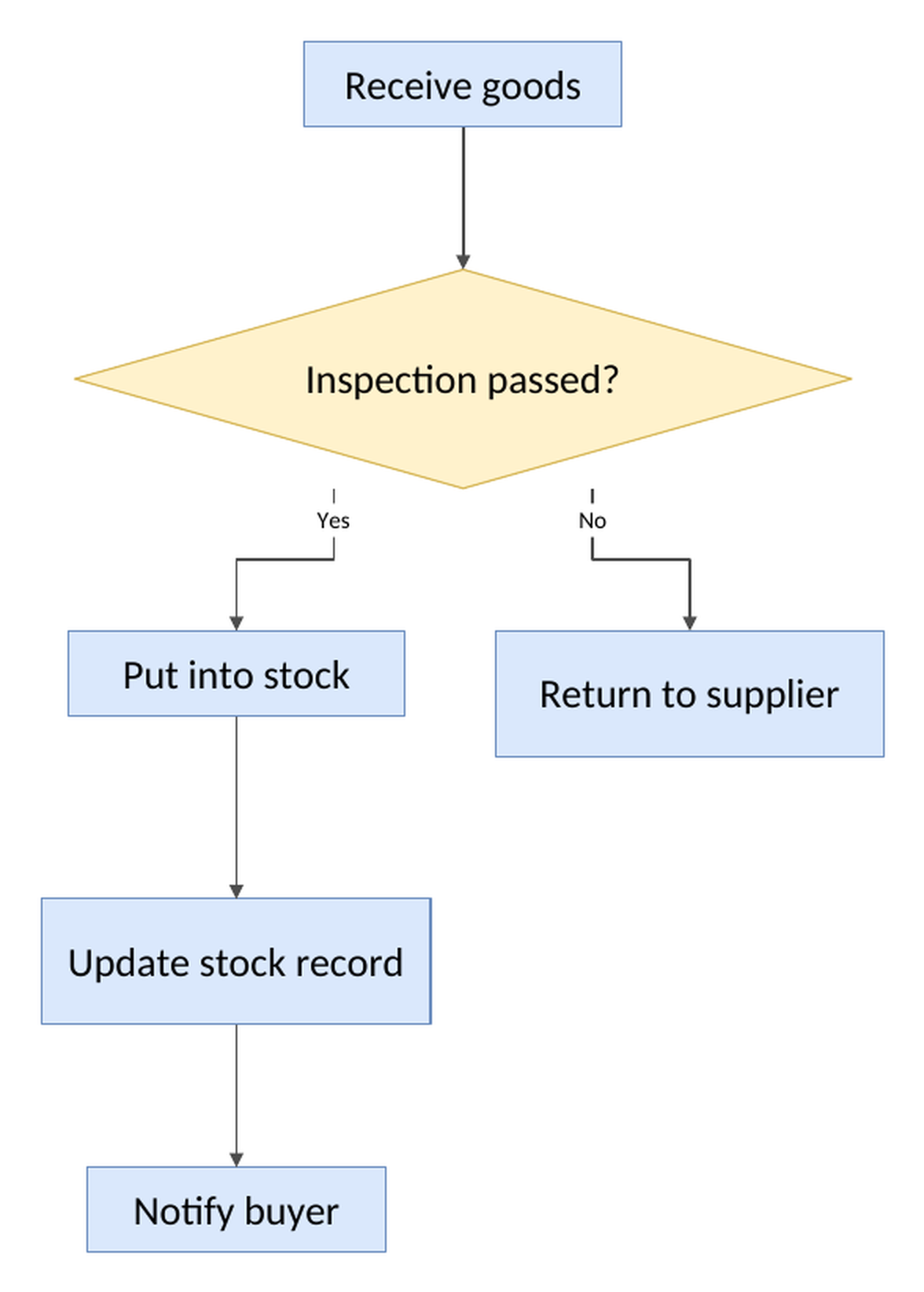
That picture is the real file, opened and printed — not a mock-up.
Try it with your own process
One step per line. End a line with ? to make it a decision, then put its
branches on the next lines as Yes: … and No: ….
Live preview
Why this exists
Every diagram tool can draw a flowchart. The problem starts after that: what lands in your Word document is an image. When the process changes — and it always changes — nobody can touch it except the person who has the original file and knows the tool.
So the chart quietly goes stale, or somebody redraws six boxes by hand. This makes the chart out of ordinary Word shapes instead, so the next edit is a double-click by whoever happens to own the document.
Opens in Word, LibreOffice and Google Docs. No account, no watermark, nothing to install. Your text is turned into the file and thrown away — we don't keep it. This is a test of one idea; if it's useful to you, the thing it grew out of is Docs from Excel — one template plus a spreadsheet, one finished file per row.